Steelcase Gesture
The Steelcase Gesture was designed around how people move with modern devices — its 360-degree arms swing and pivot to support you whether you're typing, tilting back with a phone, or leaning into a tablet. This guide covers the platform, the configuration choices that matter, and how to buy the right one.
Chairpedia participates in the Amazon Associates program. We may earn a commission on qualifying purchases at no extra cost to you. Price, seller and stock are shown live on Amazon and are not verified by Chairpedia.
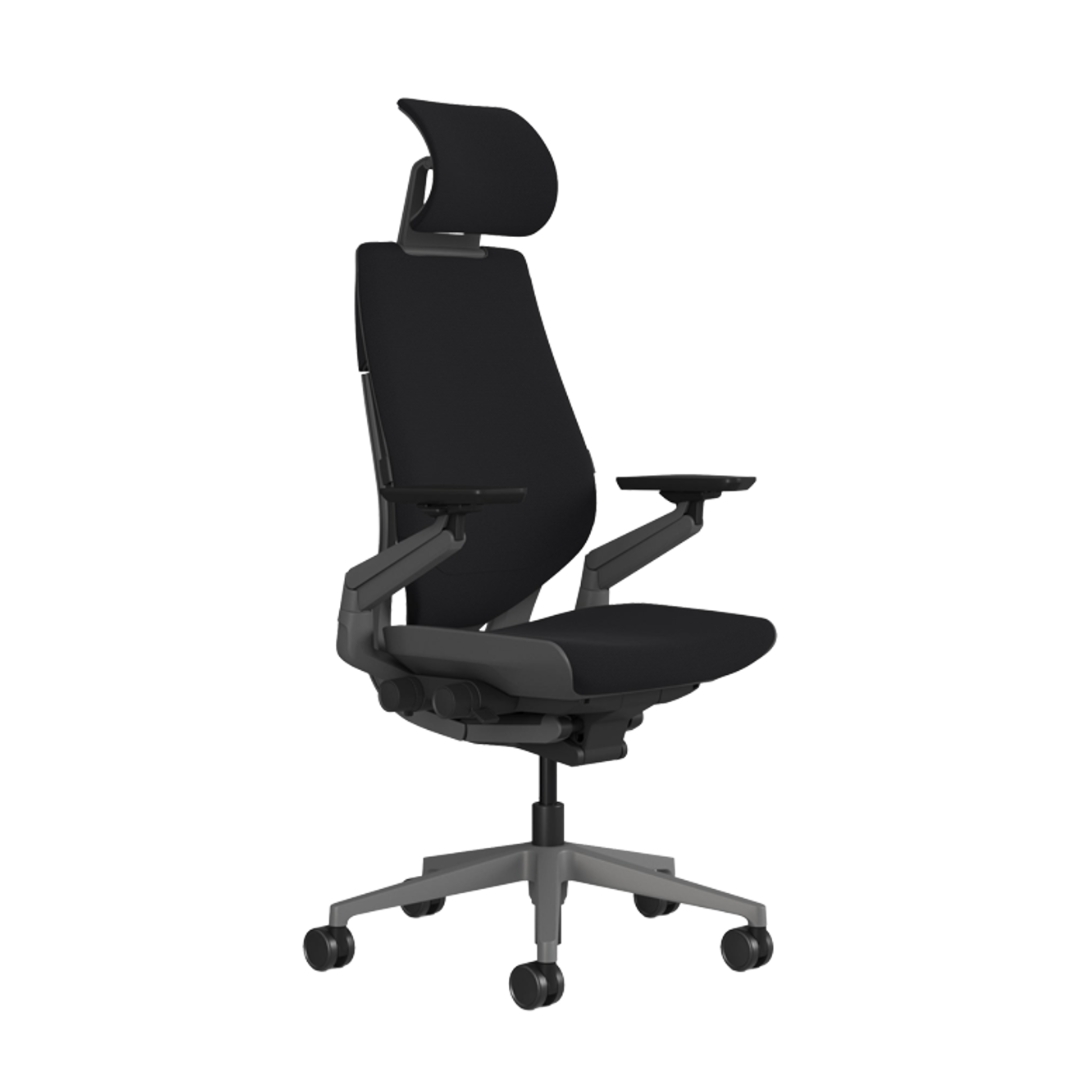
Check these before you buy
Gesture is one chair sold in many configurations. The listing you click may not be the one you pictured — confirm these four.
Dimensions and fit
Manufacturer figures come from the maker's official product page; we check them against the Amazon listing before treating them as confirmed. Values we can't confirm for the linked listing are marked as such — take those from the listing you buy from.
| Measurement | Documented value | Status |
|---|---|---|
| Overall | ≈ 39.25–44.25 in H × 22.375–34.625 in W × 21–23.625 in D | Manufacturer-documented |
| Seat height | ≈ 16–21 in | Manufacturer-documented |
| Seat depth | Adjustable 15.75–18.5 in | Manufacturer-documented |
| Weight capacity | 400 lb | Manufacturer-documented |
| Recline | Full recline with 3 locking angles, upright lock and tension dial | Manufacturer-documented |
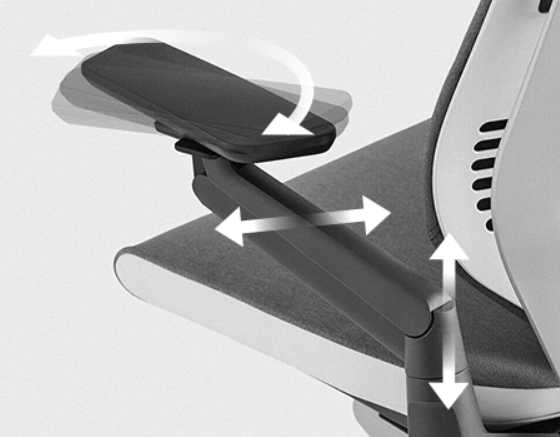
| Armrests | 360-degree arms (up/down, in/out, forward/back, pivot); fixed or armless also sold | Manufacturer-documented |
| Back | 3D LiveBack; Shell or Wrapped upholstery options | Manufacturer-documented |
| Seat | Contoured foam with flexible perimeter/adaptive bolstering | Manufacturer-documented |
| Warranty | Steelcase Limited Lifetime warranty – 12 years, multi-shift, 24/7 parts and labor | Manufacturer-documented |
Sources: steelcase.com, the linked Amazon listing (ASIN B08KL9JMVB) and published reviews (checked 2026-09-10). Overall dimensions vary with the arm and back configuration; some retail listings quote larger heights that appear to include packaging — the figures here follow Steelcase.
Adjustable vs fixed
Design, ergonomics & build — in depth
Research note: The comfort observations below summarize manufacturer documentation and published sources. This guide combines manufacturer specifications with owner reviews from around the world.
Overview
The Steelcase Gesture redefines the relationship between worker and chair, engineered to support the largest range of postures and users shaped by how technology influences modern work . Released in 2013 after a four-year development costing $35 million and resulting in 11 academic studies and 23 patents , the Gesture is Steelcase's flagship ergonomic task chair and a consistent benchmark in the premium seating category.
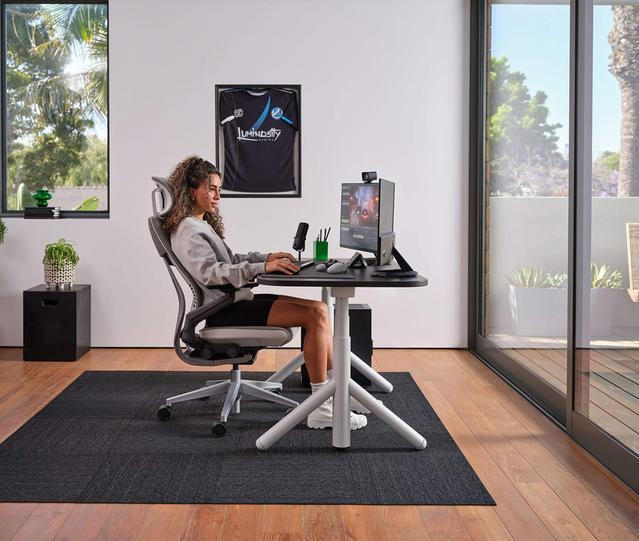
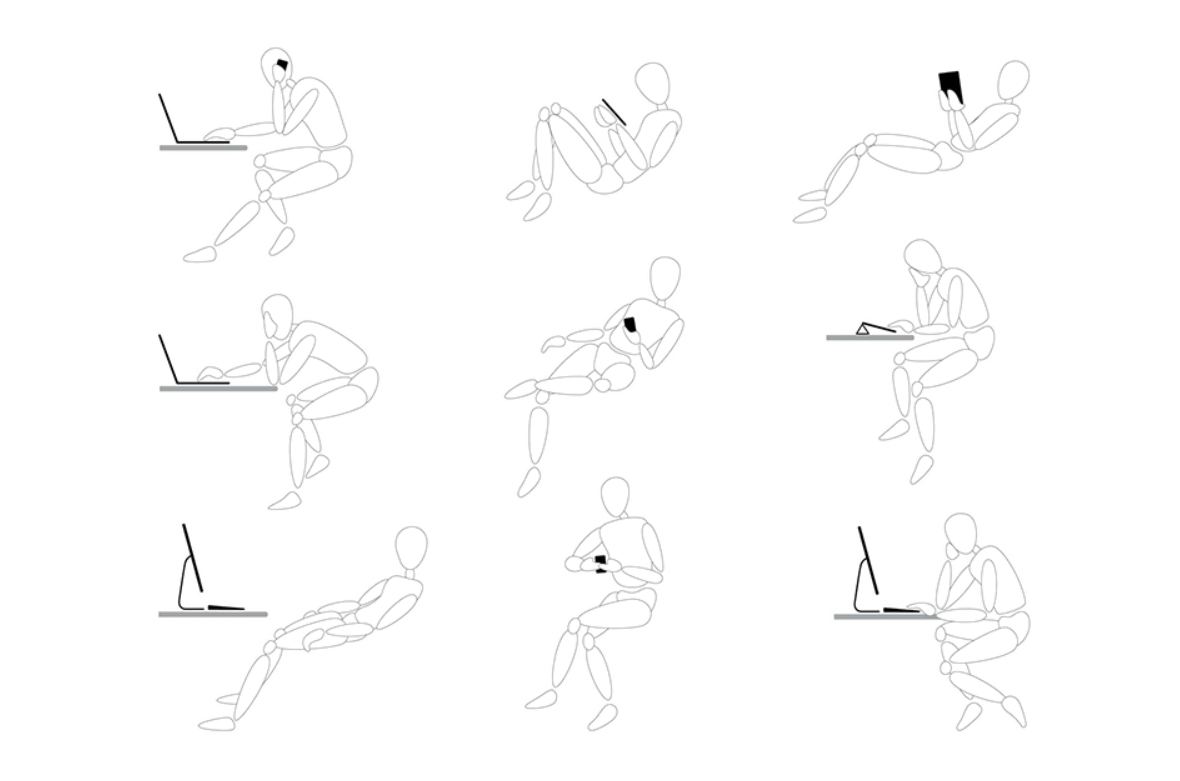
Through a Global Posture Study observing over 2,000 people on six continents, Steelcase identified nine new postures not adequately addressed by current seating solutions . The Gesture was purpose-built to answer that gap, marrying Steelcase's proven LiveBack technology with radical innovations in armrest design and multi-device support. Selected as "Our Pick for Best Office Chair" by New York Times Wirecutter from 2015 through 2024 , the Gesture remains a standout choice for knowledge workers who move across laptops, tablets, smartphones, and traditional desktops throughout the day.
At a glance
Brand | Steelcase |
|---|---|
Launch year | 2013 |
Design team | Steelcase Design Studio (in-house, global research team) |
Key materials | Steel frame, high-grade engineered plastics, fabric or leather upholstery, foam cushioning |
Signature mechanism | 3D LiveBack® with Core Equalizer; synchronized seat-and-back tilt; 360° adjustable arms |
Core adjustments | Seat height, seat depth, recline tension, 3-position tilt lock, 360-degree arms (height, width, depth, pivot, rotation), optional adjustable lumbar |
Weight capacity | 400 lbs (181 kg), tested for 24/7 use |
Warranty | Limited Lifetime warranty – 12 years, multi-shift, 24/7 parts and labor; valid for 24/7, multi-shift use |
Certifications | ANSI/BIFMA Level 2 & 3, SCS Indoor Advantage Gold ; CarbonNeutral® product |
Price tier (2026 MSRP) | US $1,599+ without headrest (Steelcase store); up to $2,560 depending on configuration |
Manufacturing | Europe models made in Sarrebourg, France ; North America models manufactured in Mexico |
The brand & its philosophy
Founded in 1912 as the Metal Office Furniture Company by Peter Martin Wege, Steelcase was originally focused on sheet metal and fireproofing patents . The name Steelcase was trademarked in 1921 and became the official corporate name in 1954 . Today, Steelcase designs, manufactures and sells office and residential furniture, conducting research on workplace design and behavior that informs its furnishings and workplace technologies .
Over 111 years, Steelcase has positioned itself as the research-driven leader in commercial seating. The company collaborated with Frank Lloyd Wright on office furniture for the Johnson Wax Headquarters in 1937, resulting in some of the first modern workstations . This ethos—pairing industrial rigor with design ambition—runs through the Gesture's DNA. Steelcase invests heavily in posture research and ergonomic testing, often publishing findings that shape industry standards rather than simply following them.
The company's philosophy centers on evidence-based design: observe how people actually work, not how they ought to sit, then engineer solutions that support real behavior. With the Gesture, that meant rethinking the chair as a system of synchronized interfaces rather than a static throne.
The designer and the design story
Gesture was designed by the innovative team and creative geniuses at the Steelcase Design Studio , the company's in-house engineering and ergonomic collective based in Grand Rapids, Michigan, with collaboration from teams in France and Malaysia. Rather than commissioning a single named designer, Steelcase marshaled cross-functional expertise—industrial designers, mechanical engineers, ergonomists, and materials scientists—into a unified development effort.
The development of the Gesture was as unique as the chair itself, starting first with studying the human body; Steelcase studied over 2,000 people from around the globe to understand posture, and through this research they found that new technology created nine additional postures that existing seating wasn't addressing . These included "The Draw" (reclining with a tablet drawn close), "The Multi-Device" (phone to ear, laptop on desk), "The Text" (arms drawn inward for smartphone use), and "The Cocoon" (feet up, device on thighs).
The design team started by looking at the unique movements and gestures of the body, asking whether a chair could act as a system just like the human body, fundamentally rethinking everything about chair design based on body movements and the various ways we work today . The result was a chair structured around three synchronized interfaces: the Core (back and lumbar), the Limb (arms and shoulders), and the Seat (cushion and depth)—each engineered to move in concert rather than isolation.
Design language & aesthetics
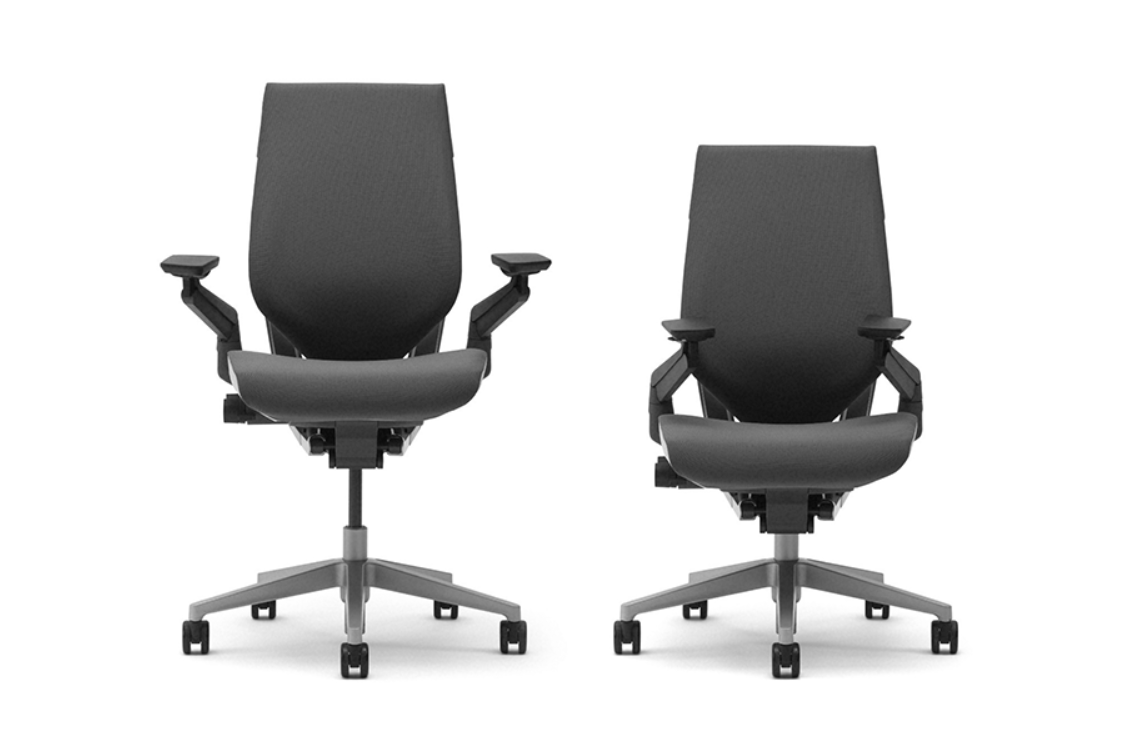
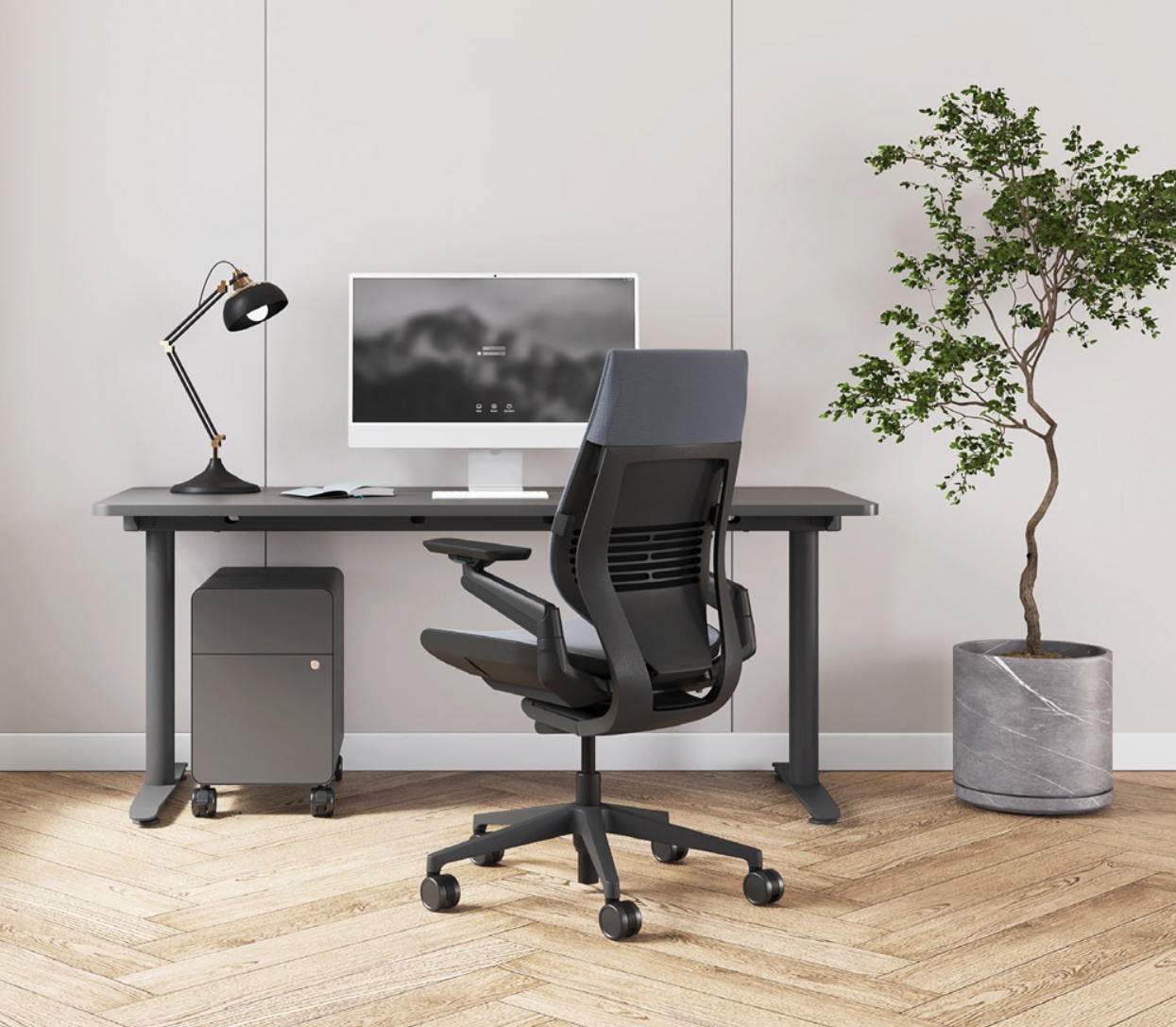
The Gesture presents a refined, slightly angular silhouette that balances technical sophistication with visual restraint. It eschews the exoskeletal drama of the Herman Miller Embody or the woven transparency of the Aeron for a more understated corporate confidence. The backrest is gently contoured and upholstered (or optionally finished as a shell back without fabric wrap), while the seat pan features softly radiused edges and no hard plastic perimeter—an intentional choice to support non-traditional postures.
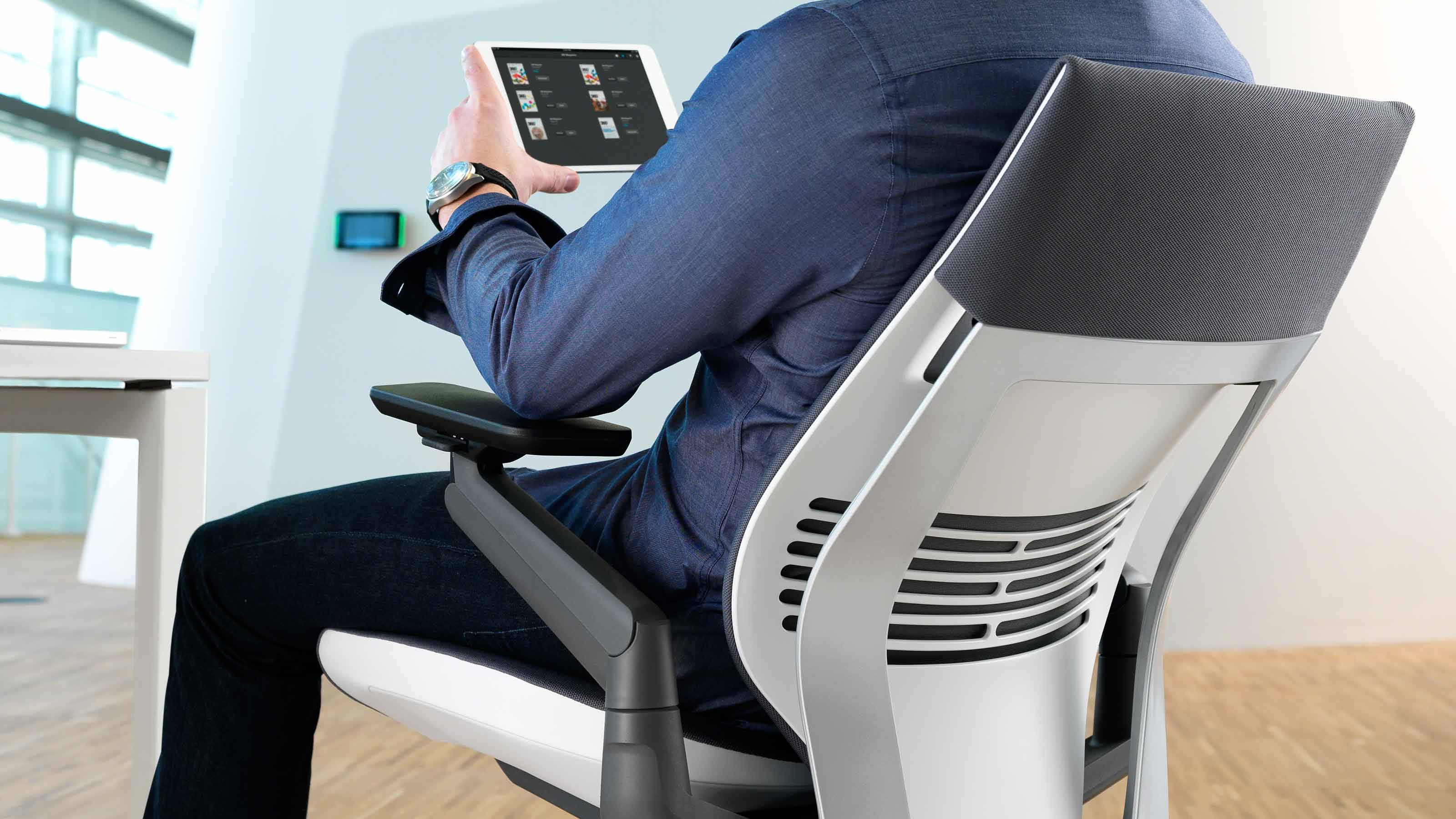
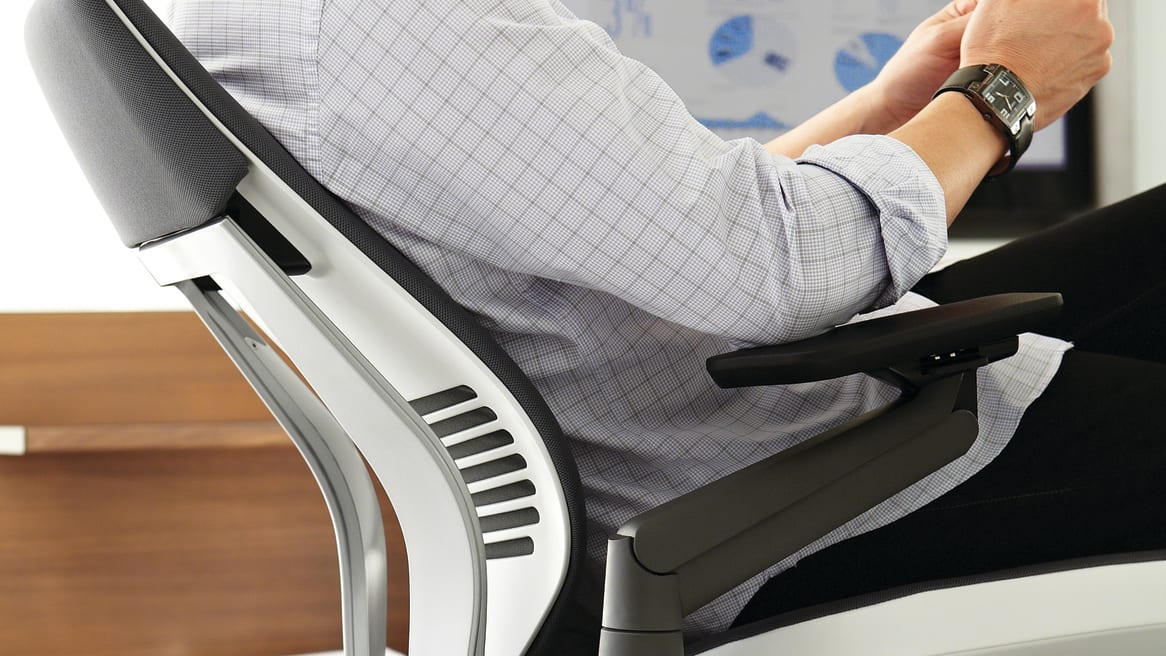
The armrests are the chair's visual signature: sculptural arm caps that pivot, glide, and rotate on ball-joint mechanisms visible from the side, a quiet declaration of the chair's adaptive intent. The base is die-cast aluminum with a five-star footprint, and casters or glides are available depending on flooring. Frame finishes range from black-on-black to platinum-light combinations, while upholstery spans more than 50 fabric choices and multiple leather grades, allowing extensive aesthetic customization without altering the underlying ergonomic architecture.
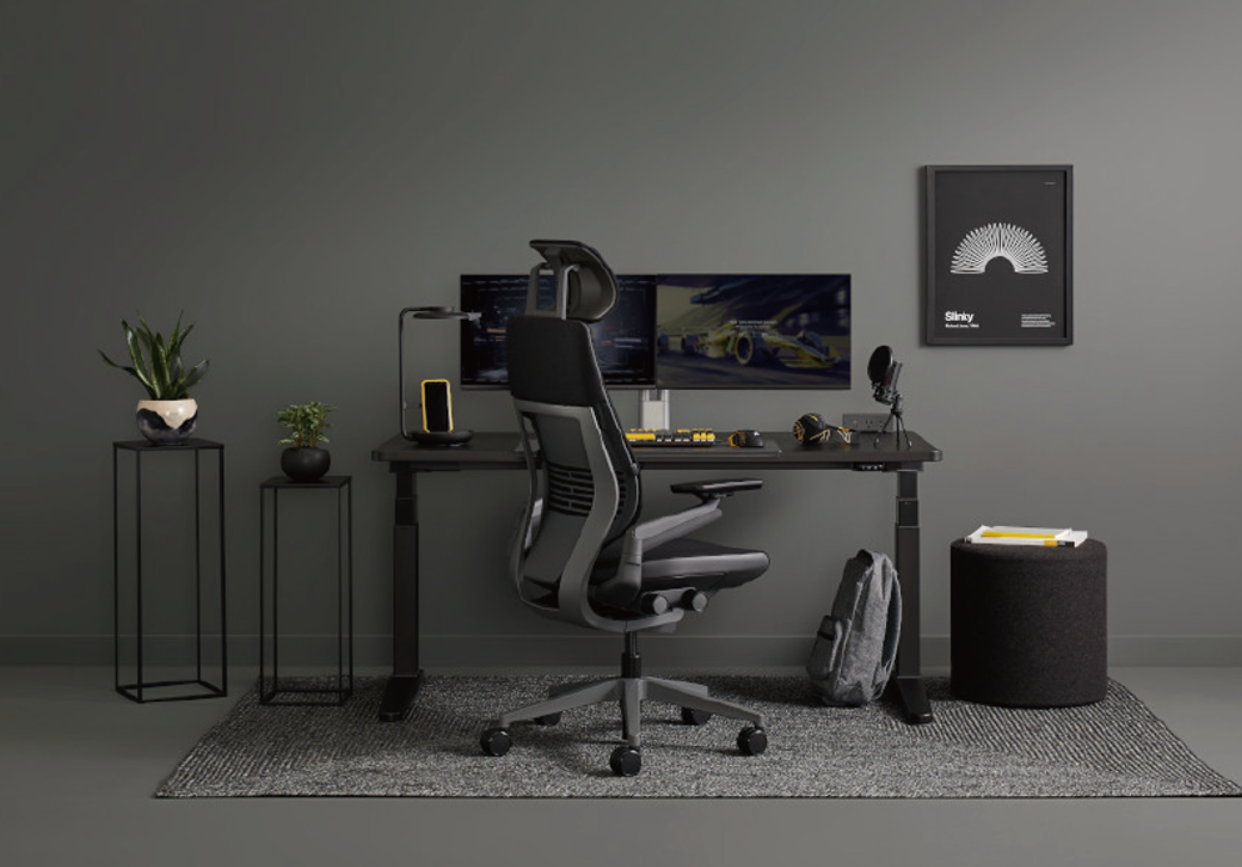
Where some ergonomic chairs wear their engineering on the outside, the Gesture integrates complexity beneath a clean envelope. It reads as professional and modern without shouting, making it equally at home in a law office, a startup war room, or a home studio.
Ergonomics & how it supports the body
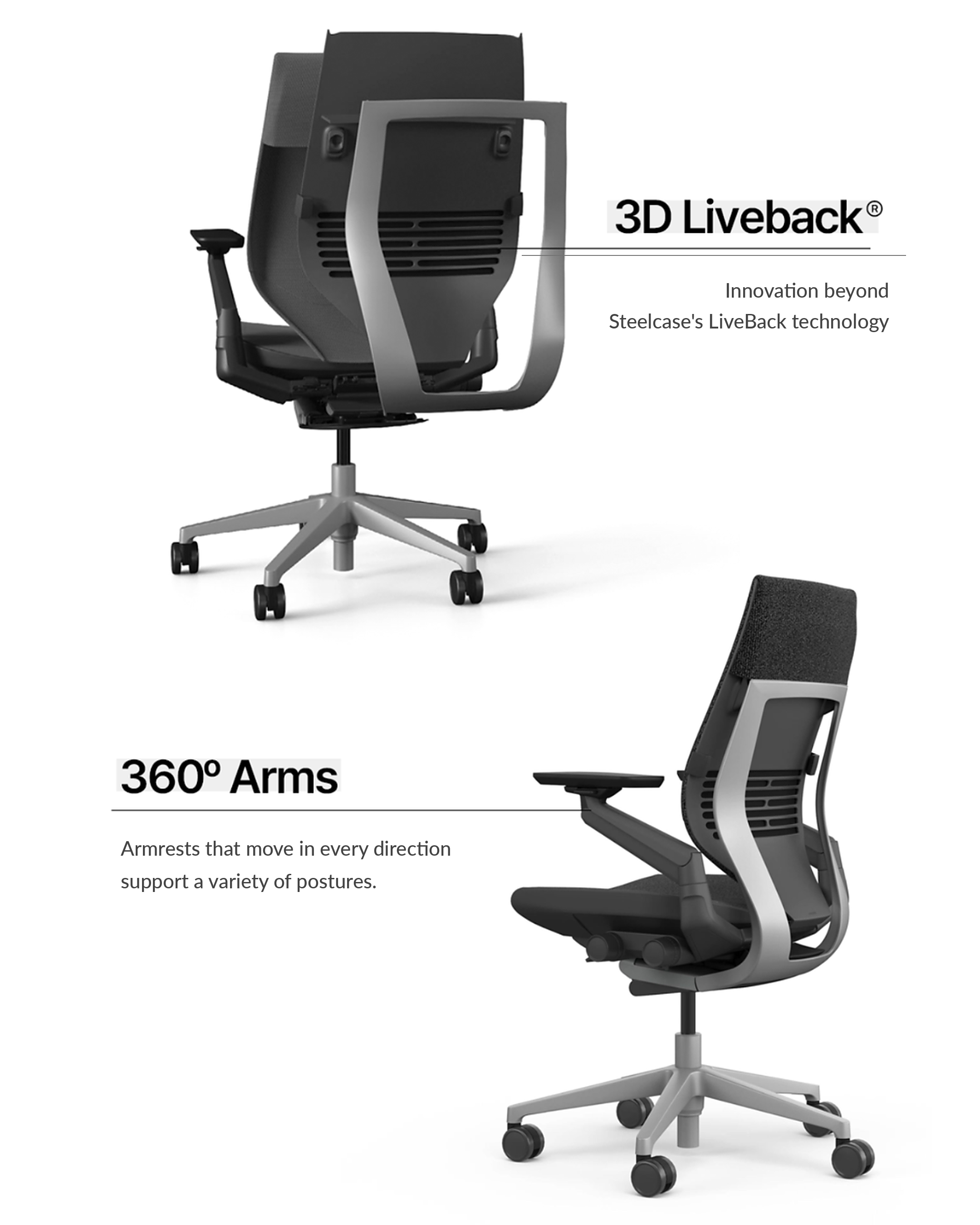
The Gesture features 3D LiveBack® technology, which mimics the natural motion of the spine and contours to the user, supporting the deepest recline . The chair's Core Equalizer connects the back and seat to move as a responsive system, eliminating gaps in lumbar support at any angle of recline . Unlike the Leap V2's height-adjustable lumbar, the Gesture provides built-in lower-back firmness that adjusts passively as you recline—users who need precise, localized lumbar placement may prefer the Leap, but the Gesture's broader, auto-adjusting support suits a wider range of bodies and postures out of the box.
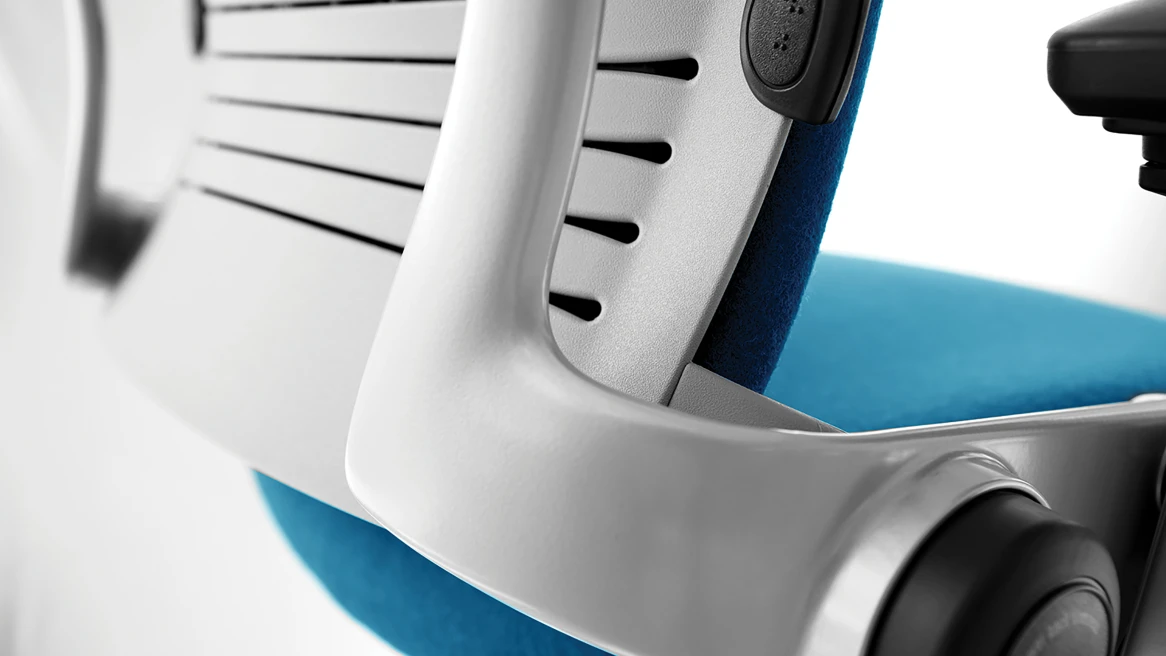
The seat pan features flexible edges that yield under pressure, reducing thigh contact and accommodating side-sitting and cross-legged postures. Adaptive bolstering technology uses strategically placed air pockets under the foam to offer consistent support for a wide range of users . The synchronized tilt keeps the seat and backrest moving together, so your lower back stays anchored even when you recline to take a video call or lean forward to focus on a screen. The seat-height range of 16″–21″ fits the 5th to 95th percentile without issues, and the seat slider accommodates shorter and longer legs , making the Gesture one of the most accommodating premium chairs for diverse body types.
Key adjustments & mechanisms
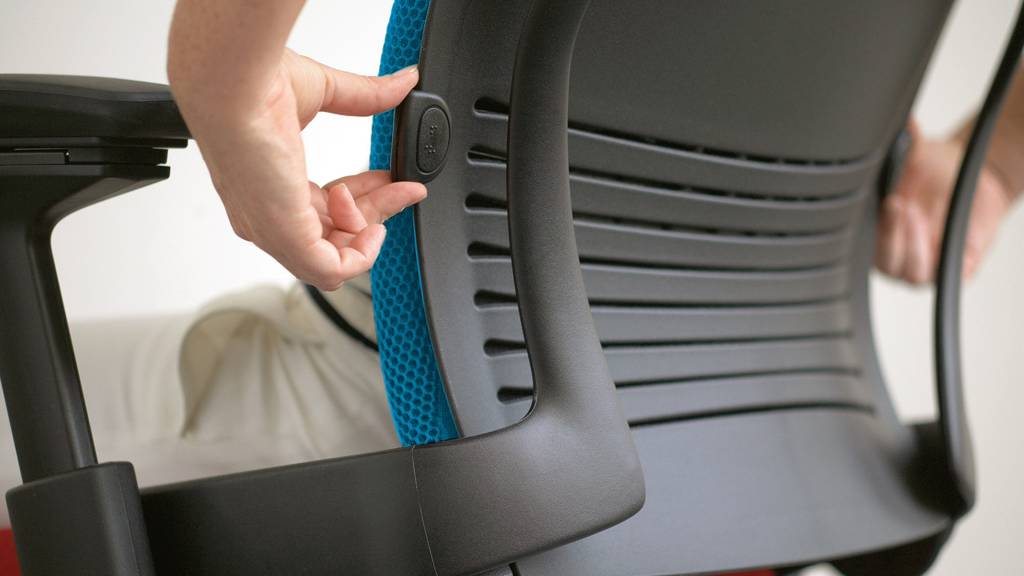
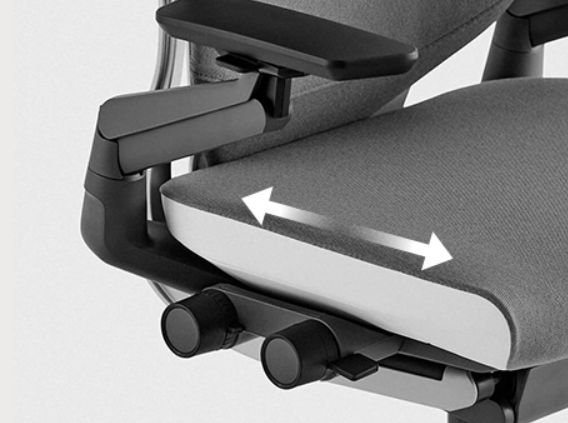
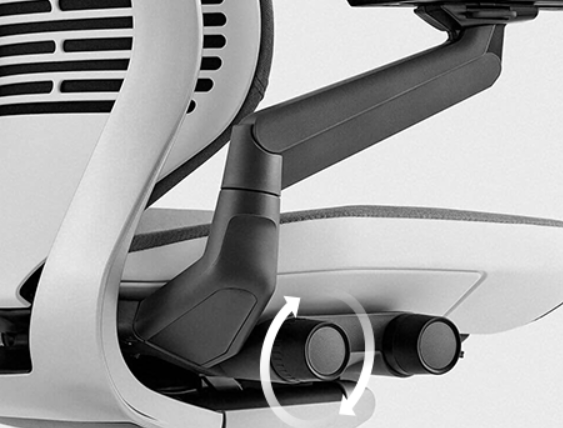
Two intuitive adjustments are located on the right-hand side within arm's reach; the front knob controls seat height and depth, while the back knob controls tension and variable back stop . This right-side clustering makes dialing in fit fast and ergonomically sensible—no reaching under the seat or behind the back.
Seat height & depth
The standard cylinder provides 16"–21" of height adjustment; Steelcase also offers an extended drafting-stool version (24"–32.25") . One favorite adjustment is the seat slider: a knob you can easily turn to adjust the seat pan for shorter or longer legs; by simply rotating the knob in either direction you adjust the depth, ensuring people will actually use the functionality . The depth range is approximately 3 inches, and the mechanism operates smoothly without requiring the user to lift body weight.
Recline & tilt
The recline range includes full recline with three recline angle stop settings and an upright back lock . The variable back stop allows users to limit recline at any of four positions; the upright lock does not rigidly freeze the back— the back moves slightly even when locked in the upright position, which some users like and others find imprecise . Tension is controlled by the rear right-hand knob and offers one of the widest ranges in the category, requiring only a few full turns to move from light (suitable for lighter users or relaxed recline) to firm (for heavier users or more resistance).
Armrests
There is a staggering 10.25" to 22.5" of width adjustment (inside), providing arm and shoulder support like no other chair tested . Height adjustment spans approximately 4.25 inches. The arm caps pivot inward up to 15 degrees and move in, out, forward and back, and the pads slide fore-aft along their mounting rail. This means the arms can tuck tight for narrow shoulders, swing wide for broad frames, angle inward for phone use, or rotate completely out of the way when entering or exiting the chair. The pads are moderately cushioned; published long-term reviews describe the pads as less plush than some executive-chair armrests.
Lumbar (optional)
The optional height-adjustable lumbar adjusts 5" to fit the curve of your lower back and provide additional support . This is an add-on selected at purchase and cannot be retrofitted. User opinion is mixed: some appreciate the extra contouring, while others— particularly on Reddit threads—report the lumbar support pokes into the back, and the curve of the backrest is already aggressive; one user followed Steelcase's guide to remove the lumbar support and found the chair far more comfortable without it .
Materials & build quality
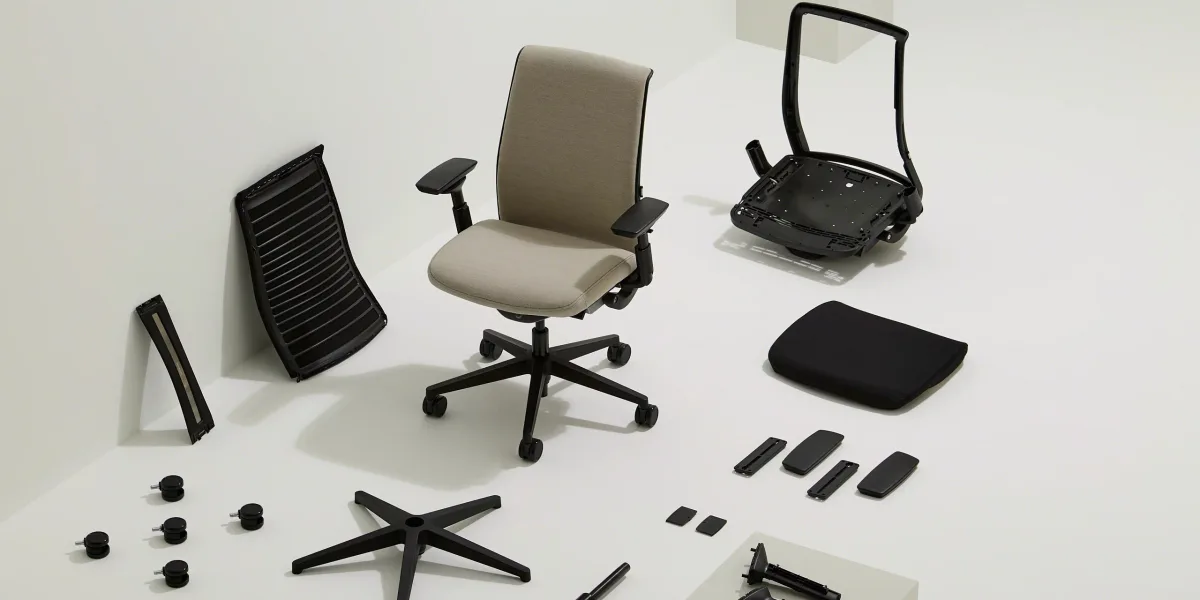
Like the Steelcase Leap, the Gesture uses quite a few plastic components; don't let this fool you—the chair is solid and well built, with most plastic used for flexibility in the chair back or to cover metal components . The base is high-strength aluminum alloy. The backrest frame and mechanism housings are engineered-grade polymer and metal, designed to flex under load without creaking or fatiguing.
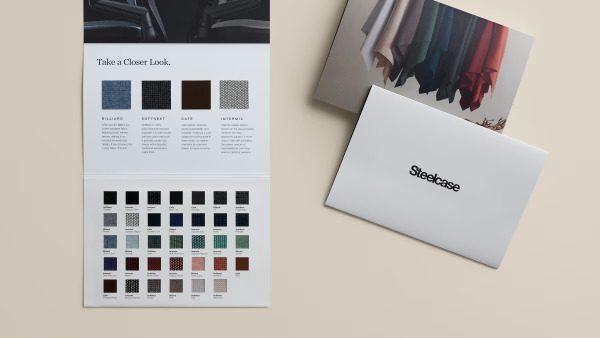
The frame and base are made entirely of metal; the upholstery was perfect without visible seams or stray threads, and its quality makes it quite heavy—a fair trade-off for something truly made to last . Standard upholstery options include a range of knit and woven fabrics (Cogent Connect, Buzz2, Remix) with abrasion ratings exceeding 100,000 double rubs, plus leather options (standard Steelcase leather and premium Elmosoft). Upholstery lead times vary: Buzz2, Cogent, Remix, and Leather ship in 4–5 business days; Billiard and Bo Peep extend lead time to 28 business days .
Two caster options are available: standard carpet casters and hard-surface polyurethane casters; the Gesture is ANSI/BIFMA Level 2 and 3 certified, SCS Indoor Advantage Gold certified, and manufactured using powder-coated paints, water-based adhesives, and VOC-free processes, with up to 25% recycled content and 85% recyclability by weight .
Long-term durability is backed by strong anecdotal and warranty evidence. Research points to the chair standing the test of time, and there's even a strong aftermarket for these chairs, maintaining strong resale value .
Comfort signals from published sources
The Gesture sits firm but supportive. The seat pad is less than 2" thick but still provides excellent support for 8+ hours sitting per day; reviewers personally sat in the chair for about three weeks with no pressure-point issues over long periods . The foam density is higher than budget chairs, preventing the sag and bottoming-out common in cheaper seats, but some users coming from plush executive leather find the initial feel unexpectedly athletic.
The backrest feel divides opinion. Those who love it describe the backrest following spine movement so lower back stays supported at all times, with significantly less fatigue after long sessions (8+ hours) compared to other chairs . The built-in lumbar curve is generous; users with flatter spines or those accustomed to minimal lumbar contact sometimes find it intrusive. The 3D LiveBack flex is subtle in normal upright work but becomes more apparent in recline, where the back maintains contact and support through a deep arc without requiring manual lock adjustments.
Thermal performance is a known trade-off: because Steelcase wanted to enable sideways sitting, they fitted the thickest seat cushion on the market; the result is the Gesture retains more heat than mesh chairs, and some Amazon reviewers call it the "swamp chair," though in air-conditioned offices below 25°C most users notice no problem . In warmer climates or for users who run hot, mesh alternatives (Aeron, Fern) offer better ventilation.
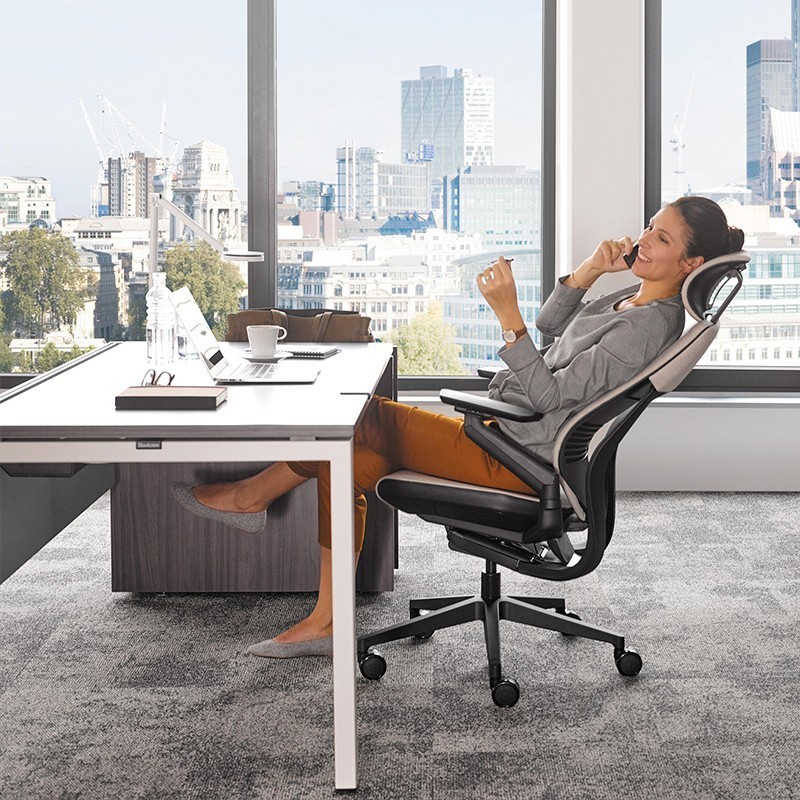
The arms are transformative for multi-device users. The armrests were able to match every single task tested—keyboard and mouse, controller, writing with pencil and paper, moved entirely out of the way—making the chair feel more versatile than any other tried . For traditional desk workers who set arms once and rarely adjust, the complexity can feel like overkill, but for those juggling screens, tablets, and phones, the 360° range becomes indispensable within days.
Who it's for (and who should skip it)
The Gesture is ideal for:
Multi-device knowledge workers who move between laptop, tablet, phone, and paper throughout the day and need arm support that follows rather than constrains.
Users between 5'2" and 6'4" Taller than 6'4" may notice the upper portion of the backrest hitting shoulders; most in the office found the backrest tall enough for full support up to around 6'4" .
Teams or hot-desking environments where a single chair must adjustably fit most users; the Gesture is by far the best tested for this, with seat height 16"–21" fitting 5th to 95th percentile and seat slider plus wide arm range accommodating varying frames .
Users who prioritize arm flexibility over lumbar precision and are comfortable with automatic rather than manual lumbar positioning.
Environments valuing BIFMA certification and low-VOC manufacturing, including LEED-seeking offices.
Consider alternatives if:
You need a mesh seat/back for ventilation in warm climates or have heat-retention concerns.
You require highly adjustable, manual lumbar targeting a specific vertebra (the Steelcase Leap V2 offers better granular lumbar control).
Your work is 95% keyboard and mouse at a single monitor with minimal device switching—the Leap V2 delivers similar LiveBack support and better lumbar at lower cost.
You want a rigidly locking upright position the back moves slightly even when locked upright; if you need a chair that locks perfectly rigid, the Gesture isn't it .
You're budget-constrained—at $1,599+ new (Steelcase store, without headrest), the Gesture sits at the premium ceiling; certified-refurbished units offer a value path.
Comparisons with key rivals
Chair | Price tier (2026) | Seat / back | Arm adjustability | Standout strength |
|---|---|---|---|---|
Steelcase Gesture | $1,599 – $2,560 (without headrest) | Foam seat, 3D LiveBack® | 360-degree arms | Best arms; widest posture support |
Steelcase Leap V2 | $1,499 – $2,667 | Foam seat, LiveBack® | Standard 4D pivot | Height-adjustable lumbar; lower cost |
Herman Miller Embody | $2,230 – $2,705 | Pixelated suspension, backfit™ | Fixed-width, pivot arms | Pressure distribution; modern aesthetic |
$1,494 – $2,567 | Foam or mesh, auto-recline | Fixed or pivot | No-knob simplicity; self-adjusting recline |
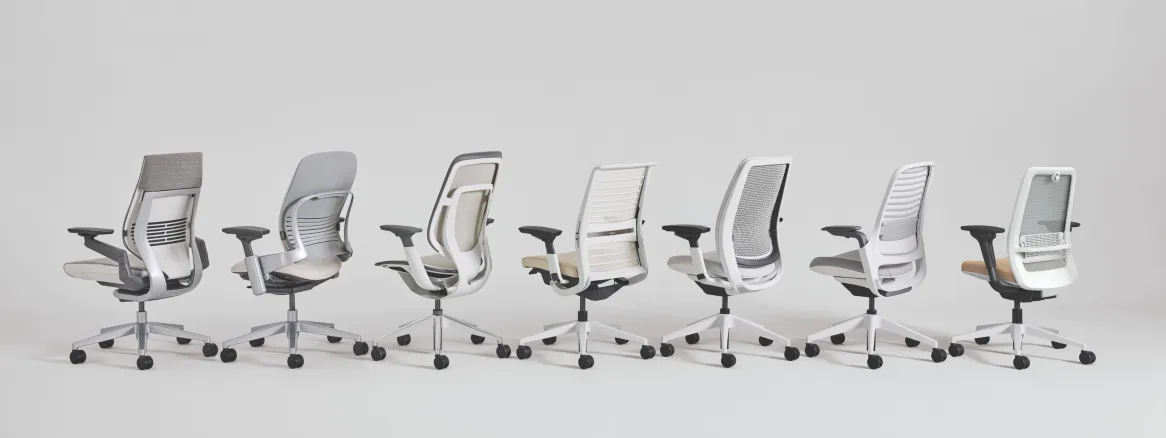
Gesture vs. Leap V2: The Gesture wins on arm adjustability with 360° arms accommodating more postures including phone and tablet work; the Leap V2 wins on seat-back comfort and lumbar support, preferred by traditional desk workers . Both share the same LiveBack and build quality; the choice hinges on whether you value arm versatility (Gesture) or lumbar precision (Leap V2).
Gesture vs. Embody: The Embody's back support responds to small posture shifts with a "moving with you" sensation rather than soft cushion; if you like active sitting and micro-movement, the Embody fits that preference . The Gesture's back support tracks you as you recline, giving a more consistent, steady "supported" sensation . The Gesture wins for modern device-heavy workflows where you shift between tasks and postures; its arm flexibility accommodates however you naturally sit .
Gesture vs. Fern: The Fern's ultra-adaptive backrest flexes like the Embody, while its height-adjustable lumbar echoes the Gesture's approach; recline and seat-tilt behavior borrows from both concepts . However, over time the Fern started showing wear with squeaking sounds and loose screws after about two years; in durability the Gesture has the upper hand .
Sizing, fit & configuration options
The Gesture weight limit was tested up to 160 kg (352 lbs in EU spec) and is best suited for users with body heights ranging from 150 cm to 190 cm ; North American spec lists 400 lbs capacity . The seat height adjustment at 16"–21" fits the 5th to 95th percentile without issues .
Configuration choices include:
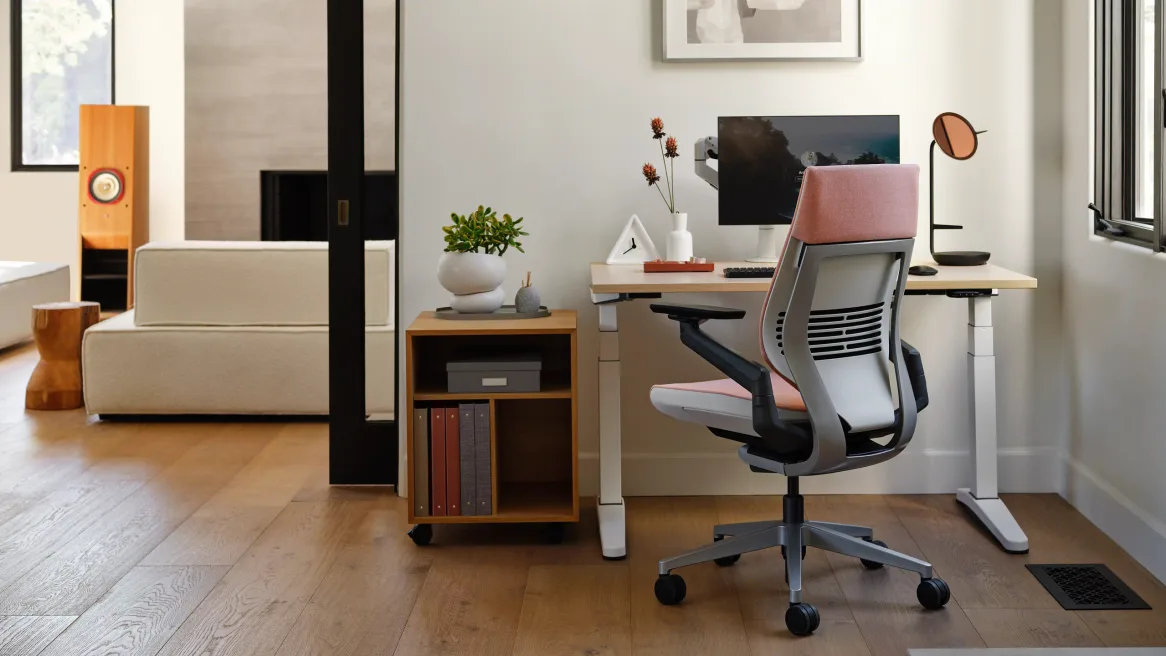
Back style: Shell back (exposed plastic rear) or Upholstered Wrap Back (fabric-covered rear panel for a softer, warmer look).
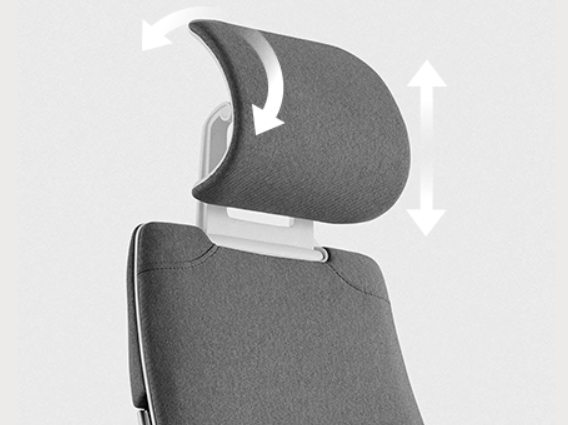
Headrest: Optional height-adjustable headrest; it must be ordered with the chair and cannot be retrofitted after purchase . The integrated headrest adjusts vertically, tilts, and rotates 90 degrees . Opinion is divided: some users find it adds welcome neck support in recline, while most testers found the headrest positioned badly no matter the adjustment and recommend saving the extra cash by ordering without .
Lumbar: Standard (built-in Core Equalizer only) or add optional height-adjustable lumbar (+$30 approx.). As noted, many users prefer the chair without the add-on lumbar.
Casters: Carpet (standard) or hard-floor polyurethane.
Frame color: Black/Black, Dark/Dark, Dark/Light (+$40), Light/Light (+$40), and regional variants (Platinum, Sterling, Merle accents).
Upholstery: Nine fabric price groups (from Buzz2 base to premium wovens) and leather (Steelcase standard or Elmosoft premium).
Stool version: Extended cylinder with footring designed as drafting stool, 24"–32.25" height .
Steelcase also offers a CarbonNeutral® certified version offsetting the chair's lifecycle emissions.
Sustainability & certifications
The Gesture is ANSI/BIFMA Level 2 and 3 certified, SCS Indoor Advantage Gold certified for indoor air quality, and manufactured using powder-coated paints, water-based adhesives, and VOC-free processes . Up to 25% of each chair uses recycled content, and up to 85% is recyclable by weight . The chair is 87% recyclable by total weight .
Steelcase's commitment to a net-zero future includes more recycled content while maintaining sustainability certifications; organizations choosing this chair can offset its full lifecycle carbon emissions through Climate Impact Partners–verified projects . Through Circular by Steelcase: Remade, used or damaged Gesture chairs can be remade to like-new condition, with nearly half the carbon emissions and high landfill diversion .
The chair holds a Red Dot Design Award and an Environmental Product Declaration (EPD) detailing lifecycle impact from raw-material extraction through end-of-life. BIFMA e3 and GREENGUARD Gold certifications confirm low chemical emissions and reduced environmental manufacturing footprint.
Maintenance, durability & warranty
The Gesture includes one of the best warranties in the business: Steelcase's Limited Lifetime warranty covers 12 years, multi-shift, 24/7 parts and labor, and Steelcase will repair or replace at no charge . Fabric/upholstery coverage ranges from 5–12 years depending on material grade.
Published product information states that the Gesture ships fully assembled; the only requirement is removing the chair from the box and pulling away minimal packaging . When ordered in small quantities, the Gesture ships via FedEx Ground in a large box with handles, weighing approximately 70 lbs .
Maintenance is minimal: fabric can be spot-cleaned or vacuumed, casters can be cleared of hair/debris, and the mechanism benefits from occasional inspection of bolts (though reports of loose hardware are rare). There is no creaking, which is an issue that has cropped up with some Herman Miller Embody chairs . Long-term owner reports consistently highlight structural integrity after years of daily use.
All Steelcase chairs come with a 30-day money-back guarantee, including free return shipping with no restocking fees; the chair must be returned in new condition in original packaging for full refund .
Pricing, value & where it sits in the market
The 2026 starting price is $1,599 (without headrest) direct from Steelcase.com . Fully loaded configurations with headrest, premium leather, and upgraded casters can reach $2,560 on the Steelcase store. The Gesture sits squarely in the premium tier alongside the Herman Miller Embody ($2,230 – $2,705), Humanscale Freedom ($1,494 – $2,567), and Haworth Fern ($1,180 – $2,280).
The value proposition rests on three pillars: unmatched arm adjustability, a 12-year warranty covering 24/7 use, and BIFMA-certified build quality designed for commercial environments. Breaking down the warranty cost over 12 years, the Gesture works out to about $133 per year at the $1,599 starting price for one of the most comfortable and adjustable chairs available, and the 30-day return policy with free return shipping removes the risk .
The certified-refurbished and remanufactured market significantly improves accessibility. Steelcase-certified refurbished units carry a warranty and are structurally identical to new; for users in the 6'0"–6'3" range, the 12-year warranty and BIFMA build make long-term value competitive . Third-party remanufacturers like Crandall Office offer 12-year warranties on rebuilt Gestures with new foam, fabric, and casters at mid-tier pricing.
Compared to sub-$500 "gaming" or big-box ergonomic chairs, the Gesture is an order-of-magnitude leap in adjustability, materials, and expected lifespan. Compared to other flagship task chairs, it trades lumbar granularity (Leap V2) and breathability (Aeron, Fern) for superior arm versatility and broad user accommodation.
Verdict—the bottom line
The Steelcase Gesture is a methodically researched, superbly engineered flagship task chair that earns its accolades—and its price. Selected as Wirecutter's best office chair for nearly a decade (2015–2024) , it delivers on the promise to support modern, multi-device workflows in ways traditional chairs cannot.
Its defining strength is the 360-degree arm system, which genuinely transforms the sitting experience for users juggling phones, tablets, and keyboards. Paired with the proven 3D LiveBack, automatic Core Equalizer lumbar, and intuitive right-side controls, the Gesture offers a fluid, adaptable sit that accommodates nine distinct tech-driven postures without forcing the user into a single "correct" position.
Trade-offs are real: the thick foam seat retains heat compared to mesh; the built-in lumbar curve is generous and non-negotiable (and the optional adjustable lumbar divides opinion); the upright lock allows slight movement rather than rigid locking; and the premium price demands either significant budget or a hunt for refurbished stock. The chair is also overkill—both ergonomically and financially—for users whose work is 95% keyboard-and-mouse at a single monitor.
If your workday genuinely spans devices, postures, and tasks, and you value a chair that adapts rather than dictates, the Gesture justifies the investment.
It is not the only great chair at this tier—the Leap V2 offers better manual lumbar and lower cost, the Embody delivers more active postural feedback, the Fern provides superior mesh ventilation—but the Gesture remains the most versatile premium task chair, capable of fitting the widest range of bodies and workflows with exceptional build quality and a 12-year, 24/7 warranty to back it up. For teams, hot desks, or individual power users rotating through laptops, tablets, and calls all day, few chairs deliver this combination of adaptability, durability, and thoughtful design.
Strengths and cautions
Drawn from manufacturer documentation and published reviews, not from our own use. Each point names its basis.
Who it's for, and who should skip it
Comparisons with key rivals
Rival figures are from published sources and are not verified by Chairpedia. Prices move constantly, so we link out instead of printing a number.
| Model | Lumbar | Armrests | Standout |
|---|---|---|---|
| Steelcase Gesture | LiveBack + optional lumbar | 360-degree | Most flexible arms; 400 lb |
| Steelcase Leap V2 | Adjustable LiveBack + lumbar | 4D | Deeper recline, natural glide, headrest option |
| Herman Miller Aeron | PostureFit SL | Fixed / adjustable / fully | All-mesh, three sizes |
| Steelcase Series 1 | Adjustable | 4D / height / armless | Much cheaper, similar DNA |
The bottom line
The Gesture's argument is its arms. Where most chairs give you two or three arm adjustments, Gesture's 360-degree arms move in four directions and pivot, so they can actually prop your forearms whether you're typing, reclining with a phone, or hunched over a tablet. Pair that with a spine-tracking LiveBack, a flexible seat edge, a 400 lb rating and Steelcase's lifetime warranty and you have one of the most genuinely ergonomic task chairs sold.
The catches are price and choice. Gesture is expensive and gets more so with upholstery and back upgrades, the headrest is an optional add-on, and it's sold in enough configurations that it's easy to click a cheaper fixed-arm build by accident. Decide on the arms, the back and the casters first, then buy — and if you want an all-mesh back, look at Leap or Aeron instead.
If your hands are always moving between devices, no chair supports them like Gesture — just configure it deliberately.
Where to buy
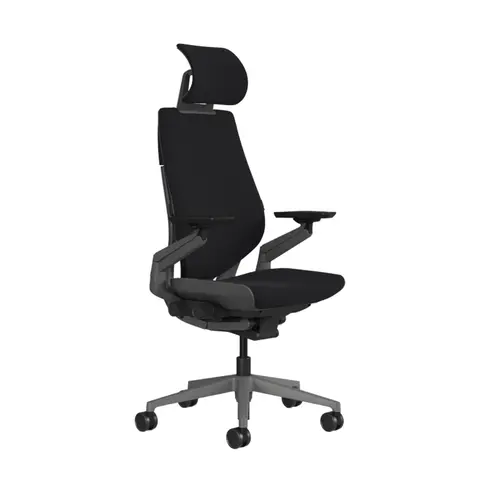
Steelcase Gesture
Before choosing this chair
Check the arm setup and desk clearance before choosing.
- Confirm the headrest and arm configuration shown in the offer.
- Compare seat and arm adjustment ranges with your desk.
Check the current offer
Affiliate link — we may earn a commission
Check the selected model, seller, delivery and return terms on the destination.
Amazon · ASIN B08KL9JMVB (Licorice fabric, dark frame, 360-degree arms) — other configs sold separately
Not verified by Chairpedia: price, seller, stock and the exact configuration vary by listing — confirm before buying. The Amazon link is an affiliate link; the Steelcase link is a direct, non-affiliate link. Commission does not change the price you pay or what this guide says.
Frequently asked questions
What makes the arms special?+
The 360-degree arms adjust up/down, in/out, forward/back and pivot, so the arm caps follow your forearms into postures ordinary arms can't reach — the chair's headline feature.
Does Gesture have a headrest?+
Yes, as an option. Steelcase sells Gesture with or without a headrest; it is an add-on, so confirm it on the exact order or listing.
Shell back or Wrapped back?+
The Shell back leaves the back's shell exposed (contract look, a little cheaper); the Wrapped back is fully upholstered. They support you the same way — it's aesthetics and price.
What's the weight capacity?+
400 lb, per Steelcase. Confirm on the listing you buy from.
Has Chairpedia tested this chair?+
This guide is built on our research-based Chairpedia deep-dive (below) plus Steelcase's specs and published reviews. We have not run our own instrumented lab test.
Sources
- https://www.steelcase.com/products/office-chairs/gesture/
- https://www.btod.com/blog/steelcase-gesture-chair-review/
- https://seatedlab.com/steelcase-gesture-review/
- https://www.steelcase.com/research/articles/topics/wellbeing/beta-testing-new-sitting-experience-gesture/
- https://www.thehumansolution.com/blog/introducing-the-steelcase-gesture-chair/
- https://compliant.bifma.org/products/steelcase/gesture
- https://www.tomsguide.com/home-office/steelcase-gesture-review
Specifications are Steelcase's figures plus the linked listing and published reviews as of the date shown and are not independently verified by Chairpedia. Gesture is sold in many configurations — confirm the arms, back, upholstery and casters on the listing you buy from.
Keep reading
Budget alternative
Affiliate links: we may earn a commission from qualifying purchases.
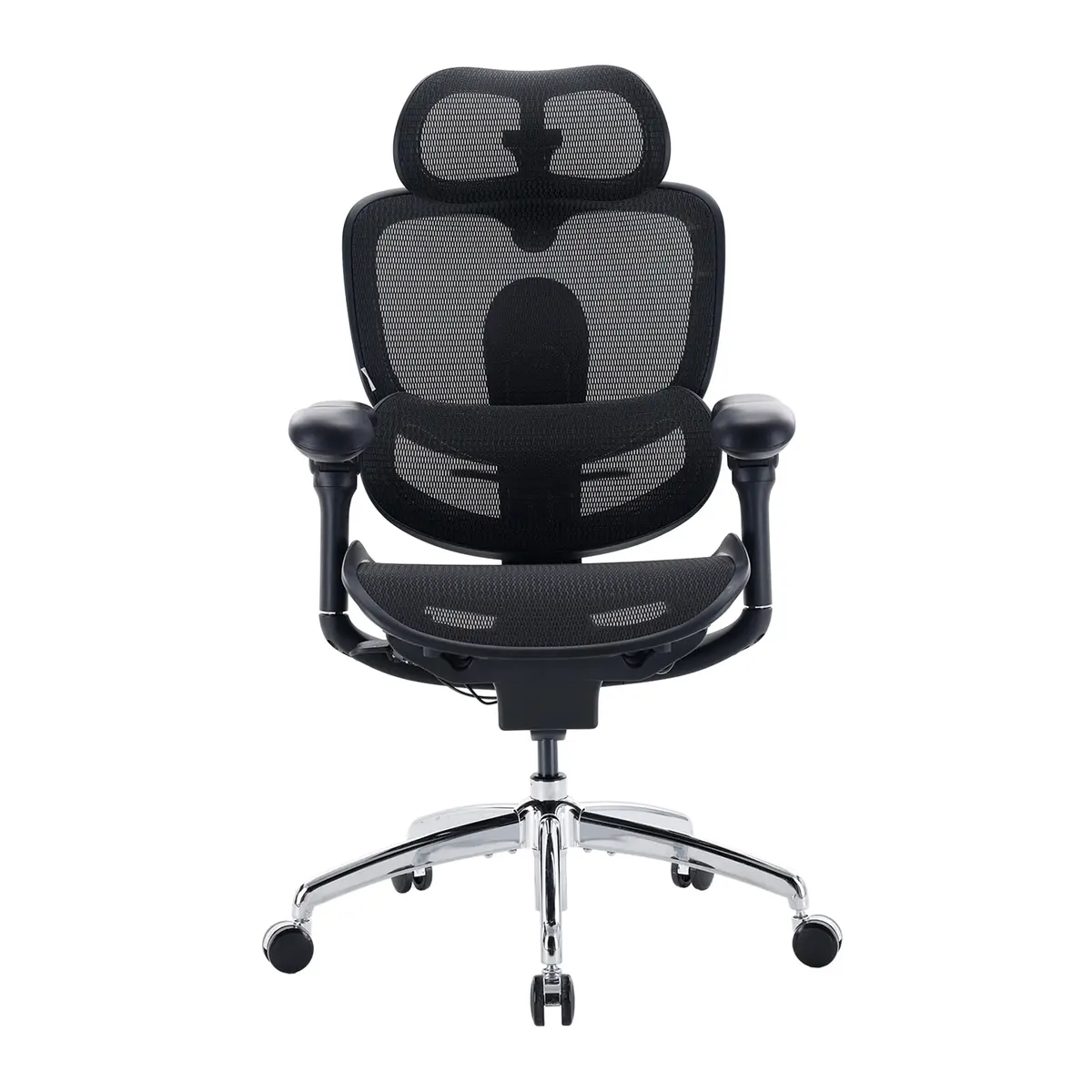 SIHOO Doro C300 Pro V2
Mesh back instead of the Gesture's upholstered back, with similar lumbar, seat-depth and headrest adjustment, at about a third of the list price ($499.99 vs $1,599).
Specs and details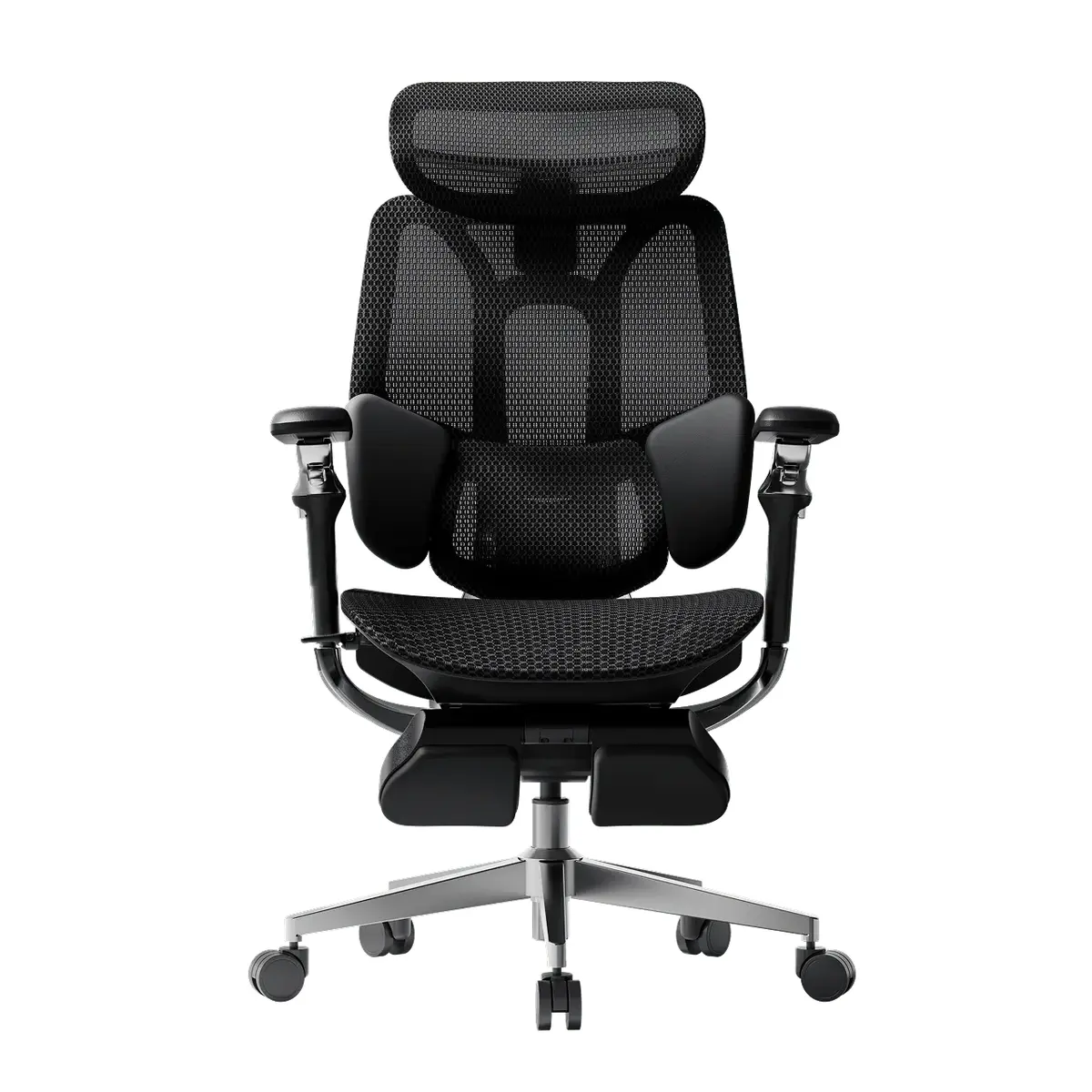 HBADA E3 Pro (2026 Edition)
Mesh back instead of the Gesture's upholstered back, with a height-adjustable lumbar, seat-depth travel and a 4D headrest, at under half the list price ($659 vs $1,599).
Specs and details